
Find more help in the Contents page
We think that tedium is pretty easy to pick up as you go along, so if you know what all the items are that you want to put on your to-do list, and if you've used tags elsewhere, then what are you doing wasting time reading all of this? Get yourself over to the all tasks list and start adding things!
Okay. That's sorted out that rare breed of people who know exactly what they need to get done and can keep it all in their heads without it going *pop*. For the rest of us, here are some pointers as to how to capture all those outstanding things-to-do and get them into a some semblence of order so that we can be more productive...
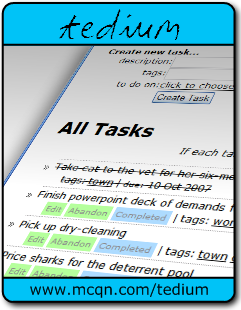
So you're sat looking at an empty all tasks list. What do you do now?
Start writing down things that you need to do. Don't worry about the order you write them down, just get them into tedium before you forget about them.
Once you've exhausted the list of things in your head, see if any other tasks are lurking elsewhere nearby. Go on a tour of your office, or your home, or wherever there might be tasks which are masquerading as objects. Is there a pile of unopened post lying on the side; or a heap of receipts that need to go into your accounts; items scribbled onto your calendar; or emails left in your inbox because you need to reply to them or perform some task related to them...?
You get the idea. Either enter these tasks into tedium as you find them, or make a huge stack on your desk (or on the floor near your desk) and run through them one-by-one adding them to tedium. Of course, if something is going to take literally a minute or two to actually complete the task, just do the task there and then and you'll have already started getting more things done; but otherwise, just enter it into tedium and move onto the next.
Choose the tags you use as you go along, and don't worry about them too much. There's no penalty in having too many tags, and conversely, you can always go back and add tags to earlier tasks whenever you like. Tags are just keywords to help you arrange your tasks, see so what are these 'tag' things for a some hints on choosing your tags, and examples of what you can use them for.
Then start doing things! And if something comes to mind when you're in the middle of something else, just dash off a quick new task and keep going with what you were up to already. You won't forget the new task because it's now safely captured in tedium.
To start with, you'll probably use the "all tasks" list most of the time, but if you've got a lot of tasks it's time to start using some of the other lists in tedium. If there's a particular project you want to get stuck into, choose the tag relating to that project from the my tags page; or if you want to make sure you don't miss any deadlines then check out the tasks due today, this week or this month...
Once you've finished a task, take great pleasure in clicking on the "Completed" button next to the task and watching it get crossed out.
Well, just look at your list to see what you should get started on next.
That's always the problem is it? There's always too much to do, and not enough time to do it all. Before long your to-do list is stretching away into the distance... That's where tags come into their own. Head to your "My Tags" page, and choose one of the tag names in order to see just the tasks which have that tag. That'll get rid of the distraction of all the other things you've got to do, and let you choose something from what is your current focus.
Or maybe you aren't sure which project you should be focusing on, or whether all the tasks are still valid... in which case, it could be time to perform a review.
That should be plenty for you to be trying out and getting on with, but it might not be. Check out our tutorials for more help, or drop us an email and let us know what you're struggling with.